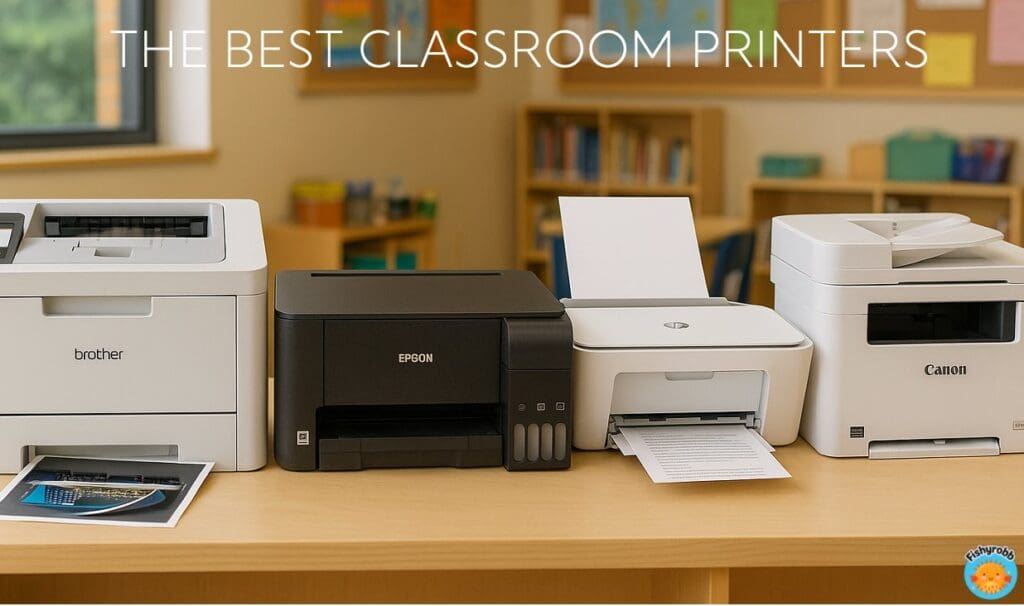
If you’re a busy teacher trying to stretch a tiny classroom budget – or worse, spending your own money – picking the right printer can feel like choosing a new pet – you want the one that’s lovable, low-mess, and won’t surprise you with huge bills. Between inkjet printers, laser printers, and ink subscription plans, it’s a lot to figure out. This teacher-to-teacher guide breaks down the best classroom printer choices I’d recommend with tips about print quality, print speed, and ongoing costs that actually matter during the school year.
You’ll find eight affordable picks below – some simple black-and-white workhorses, some full-color multifunction models for scanning and copying, and a few “never worry about ink for ages” refillable tank options. I’ll also flag gotchas (like how some services deactivate your cartridges if you cancel).
Whether you’re printing lesson plans, parent newsletters, task cards, or student worksheets, this roundup will help you match your printing needs to the printer that best fits your classroom.
.
.
Quick Teacher Cheat Sheet: How to Choose the Best Classroom Printer
- Inkjet vs. Laser: If you mostly print black-and-white white pages, a monochrome laser printer is cheaper per page and far faster. If you need color printing, posters, or borderless photos for centers and posters, inkjet printers are the better choice.
- Cartridges vs. Bottles vs. Toner Cartridges: Classic ink cartridges are simple but pricey per page. Refillable “ink tank” models use larger replacement bottles with dramatically lower running costs. Laser toner cartridges last a long time and don’t dry out like ink does.
- Connectivity: Make sure it fits your wireless network and your classroom’s reality. Look for Wi-Fi, Wi-Fi Direct, and AirPrint/Android print so any mobile device can send a job. Wi-Fi Direct lets you skip your school’s network completely.
- Ease of Use: Teachers need quick, reliable printing. Clear screens, easy initial setup, and straightforward print settings matter more than you think.
- Duplex & Speed: Automatic two-sided printing is a must in the classroom. A decent print speed will ensure you don’t spend your entire planning period in front of the printer.
- Real Cost: Consider initial cost plus the long game. Beware the bargain that eats money later.
.
With that in mind, here are my picks for the best classroom printer that won’t wreck your budget and still deliver high-quality prints.
.
1) Brother HL-L Color Series (Color Laser)
Best for: fast, smudge-proof color and black-and-white printing without ink hassles
If you want quality coloring printing with the simplicity of a laser, the color laser printer options in the Brother HL-L line are the way to go. You get quick print speed, clean text, and toner cartridges that don’t dry out. Plus, with laser, ink won’t smear when kids grab newly printed pages.
Why teachers love it:
- Automatic two-sided printing
- Fast print speed (You can’t beat the speed of laser)
- Connecting is straightforward; works well on school wi-fi or via wi-fi Direct if your network is fussy
- Excellent for graphics-heavy newsletters, labels, and other print jobs that you want to look professional and smudge-free
.
Watch-out:
- Initial cost is higher than many inkjets
- Toner cartridges are expensive to replace – although they last a really long time and cost-per-page is actually much less than ink jet
- Not ideal for borderless photos
.
Bottom line: If you want a great color printer experience with laser reliability, this is your best bet. While the initial cost is higher than most ink jets, you will save a fortune in the long run not having to buy ink and ink and more ink.
Personal Note: Brother’s HL-L3280CDW is the printer I own and use for both school and home printing. Read more about what I think of it at the end of this post.
.
2) Brother HL-L Series (Monochrome Laser)
Best for: mountains of black-and-white white pages at top print speed
The Brother HL-L monochrome line is the definition of a dependable printer. It’s not flashy, but day after day it will quietly spit out stacks of worksheets, permission slips, and lesson plans without sucking up your entire prep time. You get automatic two-sided printing, solid wireless connectivity, and the kind of ease of use that matters when the bell rings in five minutes. Toner doesn’t dry out, and the toner cartridges last a long time—perfect when your printer sits untouched over summer or during holiday breaks.
Why teachers love it:
- Fast print speed
- Toner is clean and long-lasting
- Some models are just as affordable as a mid-level ink jet
- Multi-function options are available (print/scan/copy)
.
Watch-out:
- It’s black-and-white only. If you occasionally need color printing, you’ll need the school copy center as your backup, or pair this with a small color inkjet for those projects.
- If you choose one of the higher-end HL-L monochrome printers, it can cost as much as just going with the color one mentioned above.
.
Bottom line: If you’re mostly printing text, but still want laser, the Brother HL-L series is budget-friendly, reliable, and perfect for classrooms. The least expensive model is a real bargain: HL-L2405W
.
3) HP OfficeJet with HP Instant Ink (Color Ink Jet)
Best for: teachers who want convenience and predictable costs via HP Instant Ink
HP’s OfficeJet models (e.g., 8xxx and 9xxx series) are popular for a reason: the ease of use is teacher-friendly, wireless connectivity is simple, and color output looks crisp for newsletters and centers. The hook is HP Instant Ink, an ink subscription where the printer orders ink for you and you pay by page. It can be a money saver if your monthly page count doesn’t fluctuate a lot.
Why teachers love it:
- Automatic two-sided printing
- mobile printing from any mobile device
- good print quality at standard classroom sizes
- Eashy initial setup with setup wizards
.
Watch-out:
- Instant Ink – Read the fine print: HP will deactivate ink cartridges if you cancel, meaning those subscription cartridges stop working if you end the plan, even if there’s ink left.
- Page-based plans count a full page whether it’s a tiny exit ticket or a full-bleed poster
- Check whether you can roll over unused pages to the next month (depends on your plan)
- HP is known for blocking the use of third-party ink through built-in security features
.
Bottom line: A smart pick if you like the predictability of an ink subscription—just go in eyes-open on the cancellation rules.
.
4) Canon PIXMA MegaTank (Ink Jet with Refillable Bottles)
Best for: high-quality color printing with lower ink costs
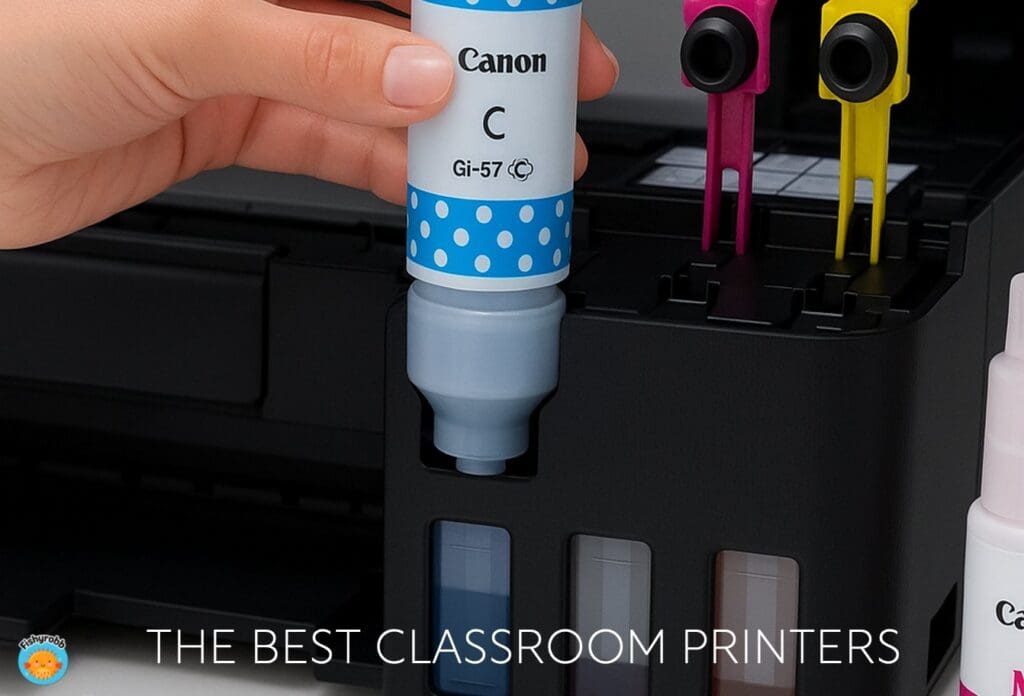
Canon’s MegaTank PIXMA models use replacement ink bottles instead of ink cartridges, which really slashes cost-per-page for color. You’ll still get a multifunction printer (print/copy/scan) and solid print quality, too. The transparent tank are great – you can literally see your ink color levels at a glance.
Why teachers love it:
- Vibrant colors with a low running cost
- Great for personal use too, if you craft or print photos at home
- Most models offer automatic two-sided printing
.
Watch-out:
- Initial setup involves priming the lines – plan ten to fifteen minutes to get this done.
- Speed is slower than a laser, so you’ll wait a lot longer for that class set of worksheets
- As with any ink system, heavy cardstock or glossy paper needs correct print settings to avoid smudges.
.
Bottom line: If you do a lot of color and want photo-quality, MegaTank can be the best color printer option for a classroom without the shocking cartridge replacement costs.
.
.
5) Epson EcoTank (Ink Jet with High-Capacity Bottles)
Best for: teachers who want the “fill it and forget it” experience for months
Epson’s EcoTank lineup is similar to the HP MegaTank – huge reservoirs, replacement ink bottles, and very low cost per page. Many models include automatic two-sided printing and a respectable print speed for everyday classroom jobs. For borderless photos and posters, color looks rich, and draft mode can crank out white pages quickly.
Why teachers love it:
- Enormous ink supply out of the box; refills are fairly cheap.
- Tanks don’t dry out as easily as cartridges when you take a long break.
- Easy mobile printing from any mobile device on your wireless network.
.
Watch-out:
- The initial cost is usually higher than a cartridge inkjet, but is easily made up after a semester of regular use.
- Like any inkjet, you have to use the right print settings for the task if using card stock or photo paper.
- Epson is known for blocking the use of third-party ink through built-in security features
.
Bottom line: For teachers who need vibrant color printing on a regular basis, EcoTank is a winner.
Personal Note: This was the printer I owned at home before moving to the Brother laser. It was great at first, but died after just a year or so of light use. I may have gotten a lemon, because many teachers adore their Epson EcoTank.
.
6) Brother MFC-J INKvestment Series (Color Inkjet with Refillable Cartridges)
Best for: teachers who need color printing, scanning, and copying but still want low running costs
The Brother MFC-J line is a multifunction printer with refill-style cartridges that behave more like tanks. That means lower cost per page than typical ink cartridges, great print quality for everyday color, and enough ink on board to start the school year without needing to refill right away.
Why teachers love it:
- Automatic two-sided printing
- Mobile and cloud scanning
- Brother Ink Refresh ink subscription can deliver replacements on a schedule, but you can also just buy when needed.
.
Watch-out:
- Colors are solid for charts and classroom décor but aren’t premium photo-quality.
- For high-volume color printing, an ink tank model is less expensive.
- Like HP Instant Ink, your subscription ink cartridges will be deactivated if you cancel your Ink Refresh subscription.
.
Bottom line: For many teachers, a Brother MFC-J is the sweet spot: affordable color with copy/scan built in.
.
7) HP DeskJet (Budget Color Ink Jet)
Best for: small spaces, personal use, and occasional color without a big price tag.
HP’s compact DeskJets are a popular entry point for teachers who need a backup printer or don’t want to use the school copier for just a few quick prints. They’re simple, inexpensive, and support wireless connectivity so you can print from a mobile device.
Why teachers love it:
- Automatic two-sided printing on some models
- HP Instant Ink can keep costs predictable if your monthly volume is consistent.
- Really low initial cost (but remember – you get what you pay for)
.
Watch-out:
- With the subscription, remember the rule: cartridges deactivate if you cancel and will no longer work.
- Compact printers like this can be really slow on large print jobs
.
Bottom line: A smart “starter” printer for tight budgets or very small classrooms
.
Before you buy a printer for your classroom…
.
Let’s Talk About Costs (Ink, Toner, Subscriptions, and Off-Brand Ink)
When money is tight, supplies matter more than the initial sticker price. A few important points when trying to decide on the best classroom printer for YOU:
- Ink cartridges vs. bottles: Tank models with replacement ink bottles cost more up front but win over time—especially for color printing. If you laminate centers, print classroom signs, or love borderless photos, the ink bottle route is usually kinder to your wallet.
- Toner vs. ink: Lasers feel expensive when it’s time to replace the toner, but each toner cartridge often lasts thousands of pages and never dries out. The cost-per-page with a laser is far less than an ink jet.
- Subscriptions: HP Instant Ink and Brother Ink Refresh (Canon has a plan too) can be great if your monthly page count is consistent and you like not thinking about replacement ink. But read the terms carefully! Page plans count a page as a page, no matter how much ink is on it. And yes, many of these services deactivate your cartridges if you cancel. Some people have even reported that it’s nearly impossible to cancel the plan and that their printer stopped working when they did. Note: Activating the “free trial” that comes with these printers starts the ball rolling.
- Off-brand ink: Buying third-party or off-brand ink can really slash costs. Just know that quality varies. For everyday black and white pages, it may be fine; but the quality of color varies widely. Also, certain printers reject third-party chips.
- The black cartridge problem: Many color inkjets won’t print – even in grayscale or black-only – if one of the color tanks is empty. Keep a spare set on hand just in case.
.
Set-Up Tips That Save Time and Money
A few minutes now can save a year of headaches:
- Choose the right driver: During initial setup, install the full driver so you get proper print settings like duplex, draft mode, and “grayscale only.” On Chromebooks/iPads, double-check that AirPrint/IPP finds the correct features.
- Use draft mode when possible: For spelling tests, seating charts, or your own lesson plans, draft/eco mode is more than fine. Save high quality for parent copies and important documents.
- Name your printer plainly: “Room 9 Printer” beats the factory model name. When kids or aides send from a mobile device, they won’t need to ask you which printer to choose.
.
Matching Printers to Real Teacher Scenarios
- Mostly text, rare color: Choose Brother HL-L mono laser for speed/cost; send color to the office copier a few times a month.
- Weekly color printing for centers, posters, etc: Pick Canon MegaTank or Epson EcoTank for bottles and low color cost.
- All-in-one classroom hub: Go Brother MFC-J for a budget multifunction printer with copy/scan and affordable color.
- Professional-looking prints: Use Brother HL-L color laser printer for crisp graphics every time that don’t smear.
- Small space or cart teacher: A compact HP DeskJet that gives you wireless connectivity
.
👉 My Personal Favorite: Brother HL-L Color Laser
I finally bought the Brother HL-L3280CDW Color Printer for myself after years of juggling a black-and-white unit in my classroom and printing all my color stuff at home. I’m so glad I did – it’s been the best printer I’ve ever owned!
Why I love it:
- Dependable printer: It just works. I click “Print” and pages appear.
- Print speed: It’s really fast – more than twice as fast as the Epson EcoTank I previously owned. Laser printers in general are far faster than any ink jet.
- Automatic two-sided printing: The speed of duplex printing is impressive.
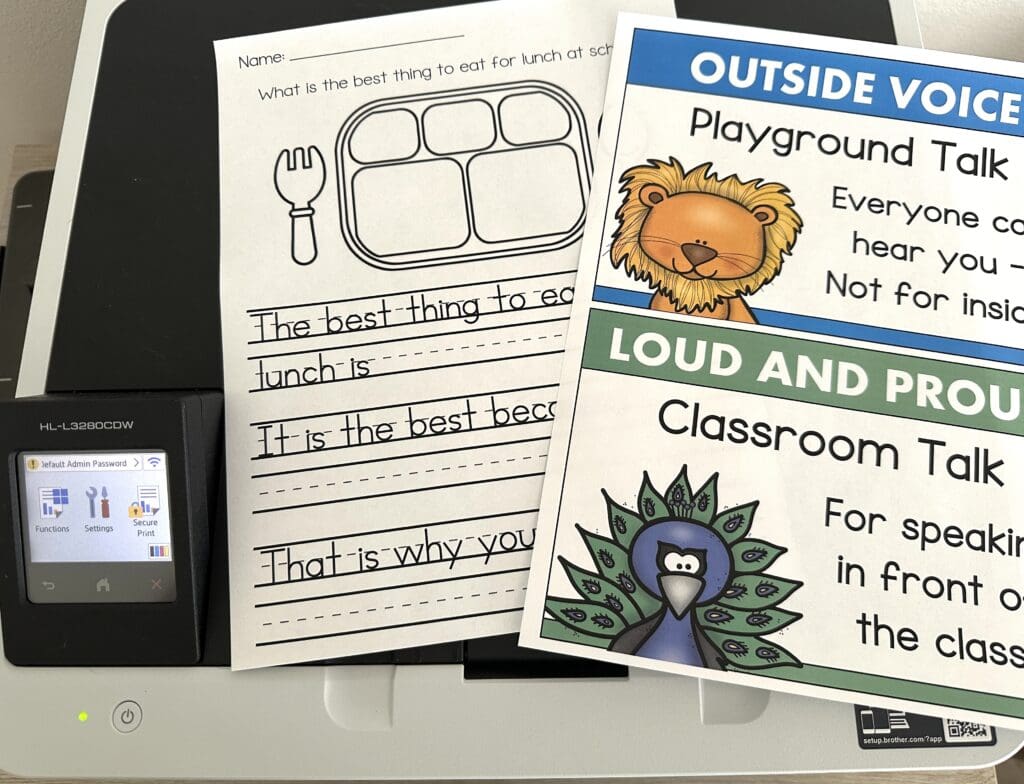
- High-quality prints: Text looks crisp and colors pop without smearing.
- Cloud printing: I can print straight from my Dropbox and Google Drive
.
Toner life & costs: I was nervous about initial cost and replacing toner cartridges, but it’s been so much better than inkjets I’ve owned. The starter toners carried me through half a year of heavy printing and standard replacements last a really long time – especially since most of my printing is in grayscale. With my last ink jet, it seemed like the ink was constantly running out.
Color expectations: This is still a color laser printer, not a photo lab. The colors are strong and consistent, and they don’t rub off on little hands. For me, the color quality is perfectly fine for classroom use. I don’t print photos though, so that might be the sticking point for someone else.
.
.
As you can see, the text is clear and crisp, and the colors are rich and accurate with no streaking. For my needs – LOTS of text, some color for visuals, and low maintenance – the Brother HL-L color laser printer is the unit I’d buy again tomorrow.
.
Final Word On the Best Classroom Printer
The “best classroom printer” is the one you forget about most of the time. The one that simply works when you’re five minutes from dismissal and still need those reading logs. If your day-to-day is mostly text, a monochrome laser printer like the Brother HL-L is a no-drama champ. If you love top-quality color centers and graphics, a refillable-tank inkjet pays for itself by winter. If you want simple, predictable ordering, HP Instant Ink or Brother Ink Refresh might keep your brain clear—just remember the caveat about cancelling.
There’s no single perfect pick, but there are plenty of good printers here that will give you high quality results all year long without devouring your budget.
Happy printing and may all your jammed pages be someone else’s!